
Download Tenon iTools – Free Apache Server Control Panel for macOS
Overview of Tenon iTools
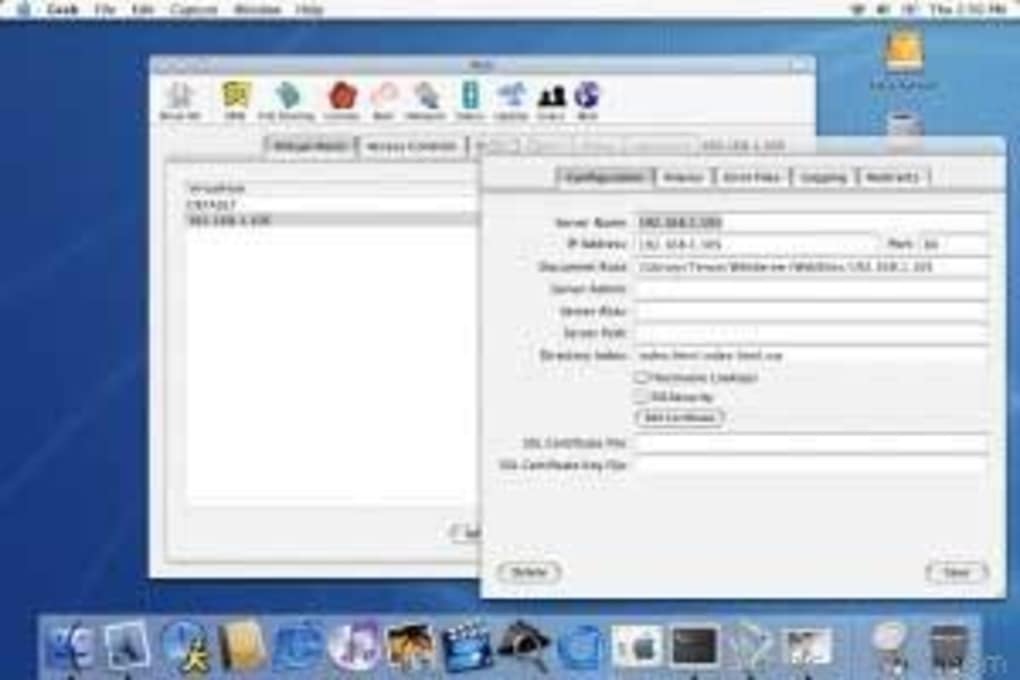
Tenon iTools is a lightweight, free Apache server control panel specifically built for macOS. Designed to blend the rock‑solid reliability of Apache 2 with the intuitive feel of the Macintosh environment, iTools gives web hosts, independent webmasters, and developers a graphical interface for the most common server‑administration tasks. Once installed on a server, iTools opens a web‑based dashboard that lets you manage domains, configure virtual hosts, schedule cron jobs, and set up FTP services without typing endless command‑line statements.
The panel is aimed at users who already have a basic understanding of Apache, DNS, SSL, and MySQL, but it also provides enough visual cues to lower the learning curve for newcomers who are willing to invest a little time in documentation. Security is handled with the same care you would expect from a native macOS app: connections are encrypted, passwords are stored using standard hashing, and the panel can be locked behind IP restrictions or two‑factor authentication modules. While any web‑based control panel introduces a potential attack surface, Tenon iTools balances convenience with reasonable safeguards, making it a solid choice for developers who need remote administration without sacrificing the core stability of Apache.
In short, iTools offers a clean, Mac‑styled GUI that simplifies server management while preserving the power and flexibility of Apache’s underlying architecture.
Key Features of Tenon iTools
- Graphical Virtual Host Management – Create, edit, and delete virtual hosts through a point‑and‑click interface, eliminating the need to manually edit
httpd.conf. - Domain & DNS Configuration – Assign domain names, set up subdomains, and configure DNS records directly from the dashboard.
- Cron Job Scheduler – Schedule recurring tasks such as backups, log rotations, or custom scripts with an intuitive calendar view.
- Integrated FTP/SFTP Server Setup – Provision secure file‑transfer accounts, assign directory permissions, and monitor activity logs.
- SSL Certificate Management – Upload, renew, and bind SSL/TLS certificates to virtual hosts with a single click.
- PHP Extension Compatibility – Seamlessly works with popular PHP applications like phpBB3, PHP‑Nuke, and phpMyAdmin, ensuring plug‑in modules are recognized.
- Remote Web‑Based Access – Manage your Apache server from any browser, allowing you to administer sites from laptops, tablets, or other remote machines.
- Extensible Architecture – Add third‑party modules or custom scripts through the “Extensions” tab, expanding functionality without recompiling Apache.
- Audit & Log Viewer – Centralized view of Apache error logs, access logs, and system events, aiding quick troubleshooting.
- Secure Authentication – Supports hashed passwords, optional IP whitelisting, and can integrate with macOS Keychain for added security.
Each of these features is wrapped in a macOS‑styled interface that respects the operating system’s native look and feel. The layout uses collapsible panels and clear icons, so even users who are new to server administration can locate the tools they need without digging through endless menus. Because iTools is free and open‑source, there are no hidden fees or subscription traps; you get the full feature set right after download.
Installation & Usage Instructions
Step‑by‑Step Installation
- Download the Package – Visit the official Tenon iTools website and click the “Download for macOS” button. The file is a compressed
.dmgarchive. - Mount the Disk Image – Double‑click the
.dmgfile to mount it. Drag the iTools icon into your/Applicationsfolder. - Run the Installer – Open the iTools application. The first launch triggers a brief installer that checks for a running Apache instance and offers to start one if needed.
- Configure Initial Settings – You’ll be prompted to set an admin username and password, choose a listening port (default 8080), and optionally enable SSL for the control panel itself.
- Grant Permissions – macOS may request administrator privileges to modify Apache configuration files. Accept the prompt to allow iTools to write to
/etc/apache2. - Finalize & Restart – After the wizard completes, iTools restarts Apache to apply the new configuration. The dashboard becomes available at
http://localhost:8080(or your custom port).
Basic Daily Workflow
Once installed, using Tenon iTools is straightforward. Log in with the credentials you created during setup. The home screen presents a summary of server status, active virtual hosts, and recent log entries.
To add a new website, click “Virtual Hosts → Add New,” fill out the domain name, document root, and select the desired PHP version. Enable SSL by uploading your certificate files, then click “Save.” For routine maintenance, the “Cron Jobs” tab lets you schedule backups or script execution using familiar drop‑down time selectors. All changes are applied instantly, and the panel offers a “Test Configuration” button that runs apachectl configtest behind the scenes to ensure syntax correctness before reloading the server.
For remote administration, simply point any web browser to the public IP address and the chosen port, ensuring that your firewall permits inbound traffic on that port. Many administrators combine iTools with a VPN tunnel to add an extra layer of security when accessing the control panel from outside the local network.
Compatibility, Pros & Cons
Tenon iTools is built exclusively for macOS (10.12 Sierra and later). It leverages the native Apache installation that ships with macOS, so no additional web server binaries are required. While the panel itself runs only on macOS, the Apache server it manages can serve content to any client platform—Windows, Linux, Android, iOS, or any device that can reach the server over HTTP/HTTPS.
Pros
- Free and open‑source, with no hidden subscription costs.
- Native macOS look and feel, making it comfortable for Mac users.
- Comprehensive feature set covering virtual hosts, SSL, FTP, cron jobs, and logs.
- Extensible via third‑party modules and custom scripts.
- Secure authentication options, including password hashing and optional IP whitelisting.
- Easy remote access through any modern web browser.
Cons
- Requires a baseline understanding of Apache, DNS, and SSL to use effectively.
- Lacks in‑depth built‑in tutorials; users must rely on external documentation.
- Installation can be intimidating for absolute beginners without a pre‑configured Apache.
- Being a web‑based control panel, it introduces an additional attack surface compared to a pure command‑line setup.
- Only supports macOS; no native Windows or Linux client is available.
Overall Verdict: Tenon iTools offers a solid, free solution for macOS users who need a graphical Apache management interface. Its strengths lie in its native integration with macOS and a feature‑rich dashboard, while its main drawbacks are the learning curve for newcomers and the inherent security considerations of any web‑based admin panel.
FAQ & Conclusion
Is Tenon iTools really free?
Yes, iTools is released under an open‑source license and can be downloaded, installed, and used at no cost. There are no hidden fees or subscription requirements.
Can I use iTools to manage multiple Apache servers?
iTools is designed to run on a single server instance. To manage multiple servers, you would need to install iTools on each machine or use a separate central management solution.
How secure is the web interface?
The interface uses HTTPS (if you enable SSL) and stores passwords with strong hashing. For added security, you can restrict access by IP address or place the panel behind a VPN.
Do I need to know the command line to use iTools?
Basic knowledge of Apache concepts (virtual hosts, SSL, and modules) is recommended, but most routine tasks can be performed entirely through the GUI without touching the terminal.
Is there support for PHP version switching?
Yes, iTools can detect multiple PHP installations on macOS and lets you assign a specific PHP version to each virtual host directly from the control panel.
Conclusion – Should You Download Tenon iTools?
If you run an Apache server on macOS and prefer a visual dashboard over command‑line fiddling, Tenon iTools is a compelling, cost‑free option. Its native macOS integration, rich feature list, and secure authentication make it suitable for small‑to‑medium web hosting environments, freelance developers, and power users who appreciate a clean GUI. While the initial setup may require a bit of Apache knowledge, the long‑term productivity gains—quick virtual‑host creation, easy SSL management, and built‑in log monitoring—often outweigh the learning curve. For anyone seeking a reliable, extensible Apache control panel that respects the Mac aesthetic, downloading Tenon iTools today will streamline daily server tasks and free up valuable time for development work.







